How to play
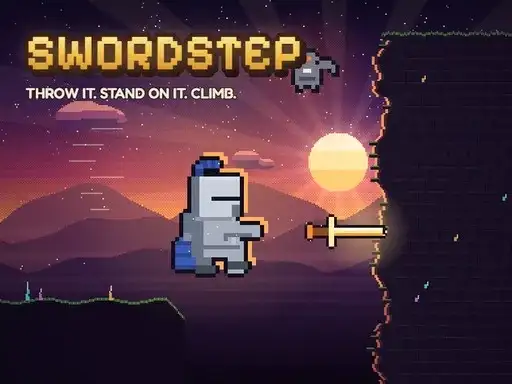
Swordstep is a pixel-art puzzle-platformer built around one magic sword. You throw the sword into a wall, stand on it, blink to it, or call it back to your hand. The goal is to climb the tower, crossing and dropping through 50 levels in five areas, from candlelit rooftops to a crystal cave and a frozen lake, up to the summit where the sun comes back. Each area changes the look of the climb. The developer says you can find 150 stars and unlock 18 characters and 9 swords along the way.
Controls explained
On desktop, use the arrow keys or WASD to move and aim. Press Space or Z to jump. Press X or left click to throw the sword, then press again to call it back. Press C, Shift or right click for Phase Shift, a quick dash. Press V or middle click to blink to the stuck sword. Esc or P opens the menu. On mobile, a thumb stick on the left moves your character.
Tips
- Throw the sword into a wall, then jump onto it to reach a ledge above you.
- Blink to the stuck sword when you need to cross a gap quickly instead of climbing.
- Call the sword back before you jump so you have it ready for the next throw.
- Use Phase Shift as a quick dash to clear short distances or adjust your position in the air.
- Look for stars as you climb, since they unlock characters and swords.
FAQ
How many levels are in Swordstep? The developer says there are 50 levels across five areas, ending at the summit where the sun comes back.
What does the sword do? You can throw it into a wall and stand on it, blink to it, or call it back to your hand. It is the main tool for climbing and crossing gaps.
Can I play on mobile? Yes. A thumb stick on the left side of the screen moves your character, and the game runs free in your browser.