How to play
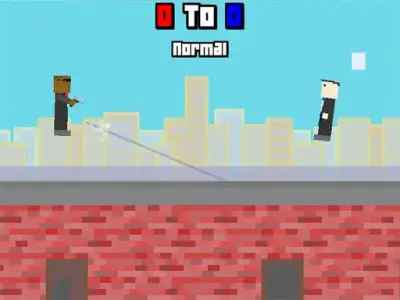
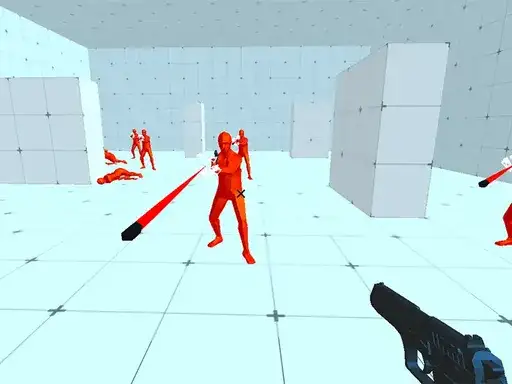
Time Shooter is a first-person shooter set in an arena where time moves only when you move. The developer says you face multiple enemies and must shoot and eliminate all of them with your gun. Standing still freezes the action, so every step you take also advances incoming bullets and enemy movement. You need to dodge their bullets while lining up your own shots, and watch out for guns thrown back at you. Clear the enemies to advance to the next levels.
Controls explained
Use the movement controls to move around the arena. Move to dodge and shoot. The shoot control fires your gun, and the throw control sends a weapon flying. Because time only advances as you move, small adjustments matter: a short step nudges bullets forward a little, while a long run gives enemies more time to act. Keep your aim ready before you move into the open.
Tips
- Move in short bursts. Time only advances while you move, so brief steps let you dodge bullets without giving enemies a long window to close in.
- Watch for thrown guns. The developer warns that weapons can come back at you, so keep an eye on what enemies send your way.
- Clear one enemy at a time. Line up your shot before stepping out, then move to dodge the reply.
- Use the throw control when a weapon is in reach. A thrown weapon is another way to take out an enemy.
- Plan your route. Since standing still pauses the action, you can stop and read the arena before your next move.
FAQ
Why does everything freeze when I stop moving? Time in the arena only advances while you move. Standing still pauses enemies and bullets, which gives you a moment to plan your next step.
What are the controls for shooting and throwing? The game uses a shoot control for your gun and a throw control for weapons. Movement controls let you move around the arena to dodge and line up shots.
What should I watch out for besides enemy bullets? The developer says guns can be thrown back at you. Keep track of weapons in the air as well as incoming fire while you move.